
REVIEW · VENICE
Venezia Audioguide – TravelMate app for your smartphone
Book on GetYourGuide →Operated by MyWoWo Srl · Bookable on GetYourGuide
Venice feels different when you choose your pace. With the Venezia Audioguide – TravelMate app, you get a low-cost, on-your-own audio guide for exploring Venice across major sights and neighborhoods.
I love the no-paper approach: no meeting point to chase, no tickets to pick up, and you can start straight after downloading. I also like that you can listen offline or online, replay the audio as many times as you want, and even read the text of the audio files in the app.
One possible drawback is accuracy in small details. One piece of feedback flagged questionable numbers in the content, including a claim that reaching the tower of St. Mark’s Basilica takes 36 steps, which raises doubts about other specifics.
In This Review
- Key things to know before you start
- A Venice Audioguide That Fits Real Travel Days
- Price and Time Value: Paying $6 for Years of Listening
- Setup in Minutes: Activation Code, Download, and Offline Mode
- Download
- Activation code (the one detail you must find)
- Online or offline listening
- Your phone + your earphones
- How to Plan Your Own Venice Audio Route
- Venice Introduction and Local Cuisine: Start by Getting Oriented
- Accademia Gallery, Biennale, Cà D’Oro, and Cà Rezzonico
- Museums and Libraries: Arsenal, Marciana Library, and Arsenal-Adjacent Thinking
- Doge’s Palace, Grand Canal, and La Fenice Theater
- Rialto Bridge, Guggenheim, and Murano: Water-Logic in Audio Form
- Churches, Campaniles, and Schools: Friars, San Sebastiano, San Zanipolo
- St. Mark’s, Marciana Library, and The Ghetto: Big Moments with Big Claims
- Quiz Mode and On-Screen Text: Learning Without Stopping
- The Main Potential Weak Spot: Accuracy of Specific Details
- Who This App Is Best For
- Should You Book This Venezia Audioguide on TravelMate?
- FAQ
- How much does the Venezia Audioguide – TravelMate app cost?
- How long is the app valid after I activate it?
- Do I need internet to listen to the audio guide?
- How many audio contents are included?
- What languages are available?
- Is there a meeting point to start?
- Where do I find the activation code?
- Can I read the text of the audio files?
Key things to know before you start

- Self-guided pacing with no meeting point and no paper ticket pickup
- 85 audio contents totaling 255 minutes of listening
- Offline listening + replay available, valid for 1095.5 days from first activation
- Text support and a quiz section to keep you engaged while you walk
- Professionally produced audio created by authors and interpreted by TV/radio professionals
- Your phone, your hygiene: the app uses your smartphone (earphones recommended)
A Venice Audioguide That Fits Real Travel Days

A phone audioguide sounds simple, but in Venice it’s more useful than you’d think. Streets twist, crowds spike, and your energy changes hour to hour—so having control over what you hear (and when) keeps you from being dragged by a strict schedule.
This TravelMate setup is built for autonomy. You download the app, enter an activation code you receive by email, and then you can start wherever you are. In practice, that means you can begin with the area you’re already standing in, instead of spending your first half-hour “getting oriented” before the guide even starts.
Also, the audio isn’t just basic descriptions. The content is professionally created, and it’s interpreted by professionals from the television and radio world. That matters because good narration helps when you’re walking, looking around, and trying to make sense of what you’re seeing.
You can also read our reviews of more tours and experiences in Venice



Price and Time Value: Paying $6 for Years of Listening

At about $6 per person, the price is hard to beat—especially because you’re not paying for a one-time, timed tour experience. The guide is valid for 1095.5 days from your first activation, which is roughly three years of use. That transforms it from something you “use once” into something you can revisit later, whether you’re planning a return trip or you want to refresh your memory.
You’re also getting 85 audio content pieces for a total of 255 minutes. That doesn’t mean you must spend four hours listening; it means you can pick shorter segments when you want context, then stop when your feet (or your patience) start lobbying for a gelato break.
Where this really shines for value is flexibility:
- If you only have one half-day, you can listen to a handful of sections.
- If you’re staying longer, you can spread the audio out and repeat favorites.
- If you’re traveling with mixed interests, different people can follow what matters to them.
Setup in Minutes: Activation Code, Download, and Offline Mode
The biggest win here is that you don’t need to coordinate with a person on-site. There’s no meeting point for this activity—you start your experience straight away wherever you prefer.
Download
- Android: download the app called TRAVELMATE from the Play Store
- iOS: download TRAVELMATE TM from the App Store
Activation code (the one detail you must find)
Your 10-digit activation code is in your email. Look for the area that shows ticket details (like Show activity details / Show your tickets here), then:
- Touch the barcode inside the orange frame
- A black-and-white barcode opens
- The 10-digit small number just under the barcode is your code
If you’re using the GetYourGuide app, you can also tap the ticket in the app to view the barcode and read the 10-digit activation code.





Online or offline listening
You can listen to the audio guide online or offline. That’s a practical deal in Venice, because mobile coverage can be spotty in pockets of the city, especially if you’re walking between busy areas. If you want the simplest experience, download for offline use before you start wandering.
Your phone + your earphones
This guide assumes you’ll use your own smartphone. That’s a quiet but real comfort factor: you’re not using shared devices handed out by a third party. Earphones are recommended, because it’s easier to hear narration clearly while you’re walking—and you avoid competing with street noise.
How to Plan Your Own Venice Audio Route

This audioguide is organized into 85 separate audio content items, and the content list covers a lot of the city’s major landmarks. The key idea: you don’t have to follow a single “official” order. You can build your day based on what you feel like seeing.
A simple way to use it is to treat Venice like a set of clusters:
- Central sights for your first orientation
- Art and museums when you want a slower pace
- Churches and schools when you’re curious about local culture and architecture
- Islands and bridges when you want the water/connection stories
If you like structure, create a short loop: listen to an intro, follow with a few “nearby” attractions by theme (like St. Mark’s area landmarks, then Rialto), then end with an island stop like Murano if your schedule allows. If you like freedom, use the list like a menu and jump around.
Also, there’s a quiz section. It’s short questions meant to help you learn as you go. Use it as a reset button during long walks, or when you’re taking a break in a quieter spot.
Venice Introduction and Local Cuisine: Start by Getting Oriented

Before you fall into landmark photos, use the Venice introduction audio content. Its purpose is to get you oriented—history, points of interest, and general curiosities—so your later stops feel less random and more connected.
Then listen to the Wonders of local cuisine. Even if you don’t plan every meal like a food blogger, this is a good way to understand what locals value and what to look for when menus get overwhelming. In a city like Venice, a little context can make everyday decisions feel more meaningful.
If you’re the type who likes to walk with a question in your head, start here. You’ll spend the rest of the day hearing things through that lens.
Accademia Gallery, Biennale, Cà D’Oro, and Cà Rezzonico

When you want Venice to slow down a bit, the art and palace-related stops are where the audio guide can really help. These sections are designed to provide history and curiosity around major cultural sites, so you’re not just staring at walls and hoping for the best.
Here are the specific stops in this zone:
- Accademia Gallery
- Biennale
- Cà D’Oro
- Cà Rezzonico
- Correr Museum
How to use them well: don’t try to listen to everything start-to-finish. Instead, pick a few moments to pause and listen while you look for what’s described. That way the narration sticks, because your eyes are feeding it the visuals it’s pointing to.
If you’re visiting any of these and you’re tired, choose the audio segments that feel most relevant to your curiosity. This guide gives you options rather than forcing a single script.
Museums and Libraries: Arsenal, Marciana Library, and Arsenal-Adjacent Thinking

Some Venice landmarks reward patience. The audio guide includes stops like:
- Arsenal
- Marciana Library
- Doge’s Palace (often paired mentally with nearby “power center” context)
The useful part of having audio here isn’t that it replaces your own observation. It’s that it helps you notice details you might miss when you’re in hurry mode. Even a simple “what this is and why it matters” can change your experience.
For example, with Marciana Library, the audio content is meant to add background so the building doesn’t feel like a random historic interior you pass. You get a story layer that makes the architecture feel less like decoration and more like part of Venice’s identity.
And with Arsenal, it’s a good audio stop when you want an anchor for Venice’s industrial and practical side. It’s not just postcards; it’s a city with a working past.
Doge’s Palace, Grand Canal, and La Fenice Theater

If you want the big iconic Venice vibes, these are the names to look for in the app list:
- Doge’s Palace
- Grand Canal
- La Fenice Theater
These audio entries tend to be the “center of gravity” stops. Even if you’ve seen photos before, the narration helps you understand what you’re looking at and why people treat these places as symbol-level destinations.
How to avoid the common mistake: don’t treat listening like a task. Let it work in parallel with your walking. Put in one segment, then step away and look before you hit the next. That keeps Venice from becoming a blur of narration and ticket lines.
Rialto Bridge, Guggenheim, and Murano: Water-Logic in Audio Form

Venice is a city of connections—bridges, water routes, and islands. The guide includes:
- Rialto Bridge
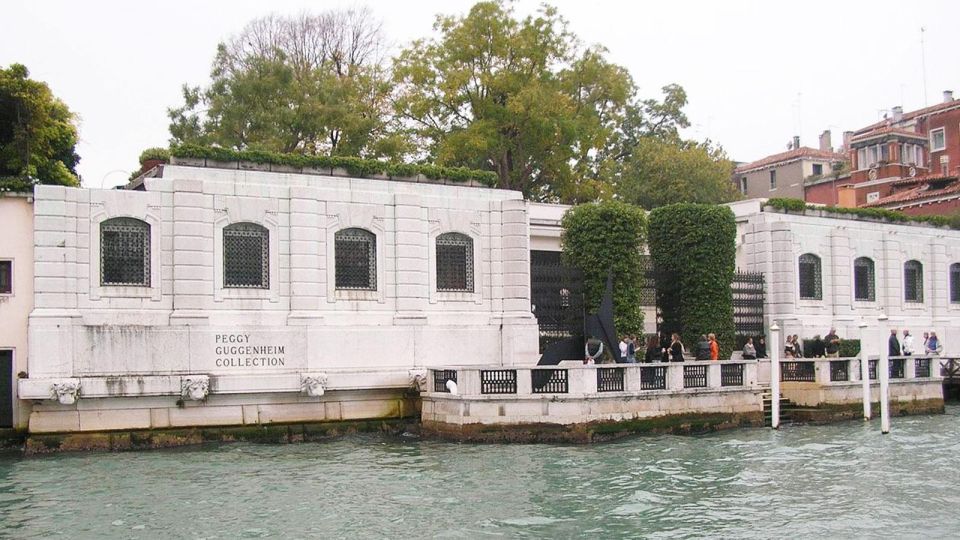
- Guggenheim
- Murano
The way to make these sections satisfying is to listen with a sense of movement. For Rialto Bridge, let the audio guide give you context while you watch the flow of activity around you. For Murano, use it as your island transition: the narration is meant to frame what you’re about to see, rather than just listing locations.
For Guggenheim, it works well if you like modern art breaks during classic-city days. The app gives you a dedicated entry so you can decide how much time to give that stop without guessing.
Churches, Campaniles, and Schools: Friars, San Sebastiano, San Zanipolo
If you enjoy Venice’s quieter layers—chapels, church interiors, and lesser-known landmarks—this audioguide gives you multiple options:
- Basilica of the Friars
- San Sebastiano
- San Zanipolo
- Scuola Di S. Giorgio Degli Schiavoni
- Scuola Grande Di San Rocco
- St. Mark’s
A practical tip: churches can be emotionally and visually intense. Audio is helpful, but you don’t have to listen at full volume the whole time. Let it run in short chunks so it supports your experience instead of crowding it.
Also, if you’re comparing architecture styles as you walk, use the text feature in the app. Reading a line or two can help you catch details you’d miss when only listening.
St. Mark’s, Marciana Library, and The Ghetto: Big Moments with Big Claims
The app includes major central highlights:
- St. Mark’s
- Marciana Library
- The Ghetto
This is where you should be extra alert to the content’s precision. One concern raised with the audioguide is that some details may be off—specifically, a numbers-related claim about St. Mark’s tower access. Even if you don’t plan to count steps yourself, this is a reminder to keep your expectations grounded and use your senses as the final authority.
Still, that doesn’t mean the audio is useless. The overall strength is giving you history, points of interest, and curiosities. Just treat it like a smart companion, not an engineering manual.
Quiz Mode and On-Screen Text: Learning Without Stopping
A lot of audio guides work until you’re hungry or tired, then the story fades. This one adds a quiz section with short questions about the city. It’s a fun way to turn walking into “active attention” rather than passive listening.
Even better, you may read the text of the audio files. That helps in two ways:
- If you miss a sentence, you can read it instead of rewinding forever.
- If you’re in a noisy area, reading can make the content stick faster.
If you’re traveling with kids, quizzes can also give everyone a reason to pay attention beyond photos.
The Main Potential Weak Spot: Accuracy of Specific Details
The overall vibe from the feedback is that the guide is entertaining and useful for getting a basic idea. At the same time, there’s a clear caution about accuracy—especially when the narration gets specific with numbers.
The example given is a questionable claim about climbing steps to reach the tower of St. Mark’s Basilica. That single type of error matters, because if the guide can be shaky about counts, you should treat other exact details with a pinch of salt.
What this means for you:
- Use the guide for context and orientation.
- Don’t treat it as your source of truth for exact measurements or step counts.
- If something sounds odd, trust what you can see on-site.
Who This App Is Best For
This audioguide app fits best if you want control, not choreography. It’s great for:
- People who hate collecting paper tickets and hate meeting points
- Travelers who like to stop, wander, and restart without feeling “behind”
- Anyone who wants offline audio and multilingual support
- Visitors who prefer using their own smartphone and earphones
It’s also marked wheelchair accessible, which makes sense for a phone-based guide: you’re not locked into a one-size-fits-all walking path with a physical escort.
If you’re the type who wants a strict, step-by-step itinerary with guaranteed exact information, you might find yourself disappointed by occasional questionable details. For that kind of traveler, you’d want a tour style that’s backed by stronger, more verifiable specifics.
Should You Book This Venezia Audioguide on TravelMate?
If you’re looking for a low-cost way to understand Venice while you walk, I’d say yes—especially because it’s $6, it works offline, and you can replay it for a long window (1095.5 days from activation). The combination of professionally produced narration, text support, and a quiz makes it more than a basic sound file.
But book with eyes open. The app seems strong for getting the big picture and staying entertained, yet there are accuracy concerns in specific numeric details. If that would bother you, treat the audio as guidance, not a measuring tool.
Overall: this is a smart value pick for self-guided Venice days, as long as you pair it with your own attention and common sense.
FAQ
How much does the Venezia Audioguide – TravelMate app cost?
It costs $6 per person.
How long is the app valid after I activate it?
It is valid for 1095.5 days from first activation.
Do I need internet to listen to the audio guide?
No. The audio can be listened to online or offline.
How many audio contents are included?
The guide includes 85 audio content items for a total of 255 minutes.
What languages are available?
The audio guide is available in Chinese, English, French, German, Italian, Russian, and Spanish.
Is there a meeting point to start?
No. There is no meeting point for this activity. Download the app and start wherever you prefer.
Where do I find the activation code?
It’s in your email, under the barcode (a 10-digit small number just under the barcode). It can also be viewed in the GetYourGuide app under the ticket details.
Can I read the text of the audio files?
Yes. You may read the text of the audio files in the app.